BaByliss PRO SnapFX Dual Lithium-Ion Clipper Battery
About the Brand 🌿
BaByliss PRO® develops professional barbering tools and modular power systems designed for compatibility across select cordless platforms. The SnapFX system uses removable batteries intended for shared use between compatible tools.
About the Product 💈
The BaByliss PRO® SnapFX Dual Lithium-Ion Battery is designed for use with the SnapFX FX890 Clipper. This snap-out battery system allows the battery to be removed from the clipper body and charged separately.
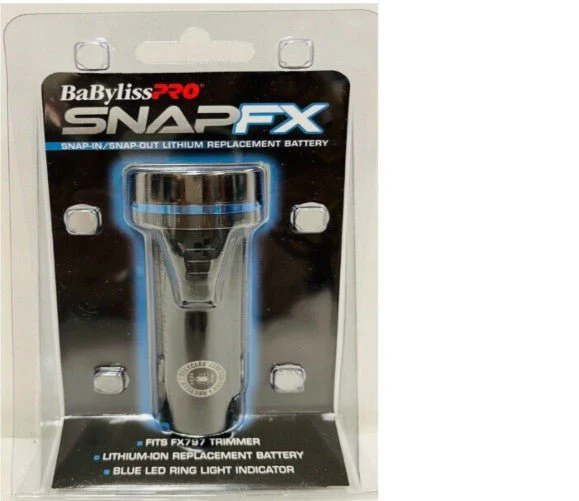
Each battery includes an LED ring indicator that displays battery status. The battery installs directly into the compatible clipper and is secured in place through the SnapFX locking mechanism.
Both variants are compatible with the same SnapFX clipper model. Differences between variants are limited to battery capacity and LED indicator color.
Available Variants 🔋
-
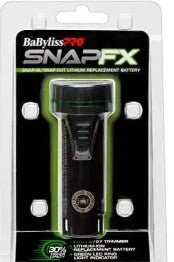
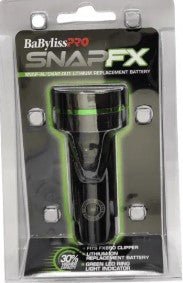
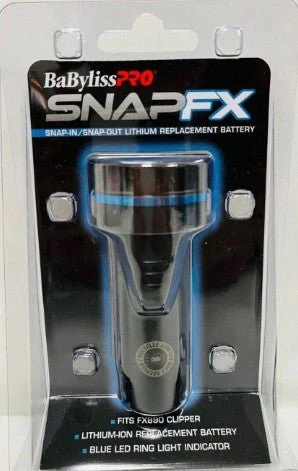
Standard Capacity Battery – Blue LED ring indicator
-
High-Capacity Battery – Green LED ring indicator
(Both variants fit the BaBylissPRO® SnapFX FX890 Clipper.)
How to Use 🧴
-
Power off the SnapFX FX890 clipper.
-
Slide the battery out of the clipper body.
-
Place the battery on the compatible SnapFX charging base.
-
Observe the LED ring indicator during charging.
-
Once charged, insert the battery back into the clipper until fully seated.
-
Repeat the process as needed during use.
Product Information
Product Information
Shipping & Returns
Shipping & Returns
BaByliss PRO SnapFX Dual Lithium-Ion Clipper Battery
BaByliss PRO SnapFX Dual Lithium-Ion Clipper Battery
About the Brand 🌿
BaByliss PRO® develops professional barbering tools and modular power systems designed for compatibility across select cordless platforms. The SnapFX system uses removable batteries intended for shared use between compatible tools.
About the Product 💈
The BaByliss PRO® SnapFX Dual Lithium-Ion Battery is designed for use with the SnapFX FX890 Clipper. This snap-out battery system allows the battery to be removed from the clipper body and charged separately.
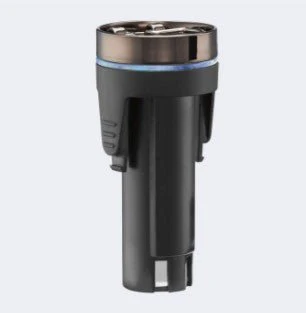
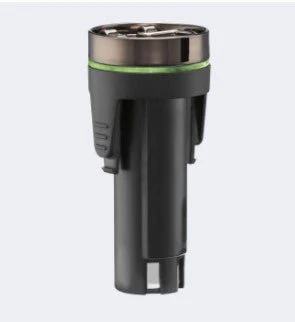
Each battery includes an LED ring indicator that displays battery status. The battery installs directly into the compatible clipper and is secured in place through the SnapFX locking mechanism.
Both variants are compatible with the same SnapFX clipper model. Differences between variants are limited to battery capacity and LED indicator color.
Available Variants 🔋
-
Standard Capacity Battery – Blue LED ring indicator
-
High-Capacity Battery – Green LED ring indicator
(Both variants fit the BaBylissPRO® SnapFX FX890 Clipper.)
How to Use 🧴
-
Power off the SnapFX FX890 clipper.
-
Slide the battery out of the clipper body.
-
Place the battery on the compatible SnapFX charging base.
-
Observe the LED ring indicator during charging.
-
Once charged, insert the battery back into the clipper until fully seated.
-
Repeat the process as needed during use.
Product Information
Product Information
Shipping & Returns
Shipping & Returns
Description
About the Brand 🌿
BaByliss PRO® develops professional barbering tools and modular power systems designed for compatibility across select cordless platforms. The SnapFX system uses removable batteries intended for shared use between compatible tools.
About the Product 💈
The BaByliss PRO® SnapFX Dual Lithium-Ion Battery is designed for use with the SnapFX FX890 Clipper. This snap-out battery system allows the battery to be removed from the clipper body and charged separately.
Each battery includes an LED ring indicator that displays battery status. The battery installs directly into the compatible clipper and is secured in place through the SnapFX locking mechanism.
Both variants are compatible with the same SnapFX clipper model. Differences between variants are limited to battery capacity and LED indicator color.
Available Variants 🔋
-
Standard Capacity Battery – Blue LED ring indicator
-
High-Capacity Battery – Green LED ring indicator
(Both variants fit the BaBylissPRO® SnapFX FX890 Clipper.)
How to Use 🧴
-
Power off the SnapFX FX890 clipper.
-
Slide the battery out of the clipper body.
-
Place the battery on the compatible SnapFX charging base.
-
Observe the LED ring indicator during charging.
-
Once charged, insert the battery back into the clipper until fully seated.
-
Repeat the process as needed during use.